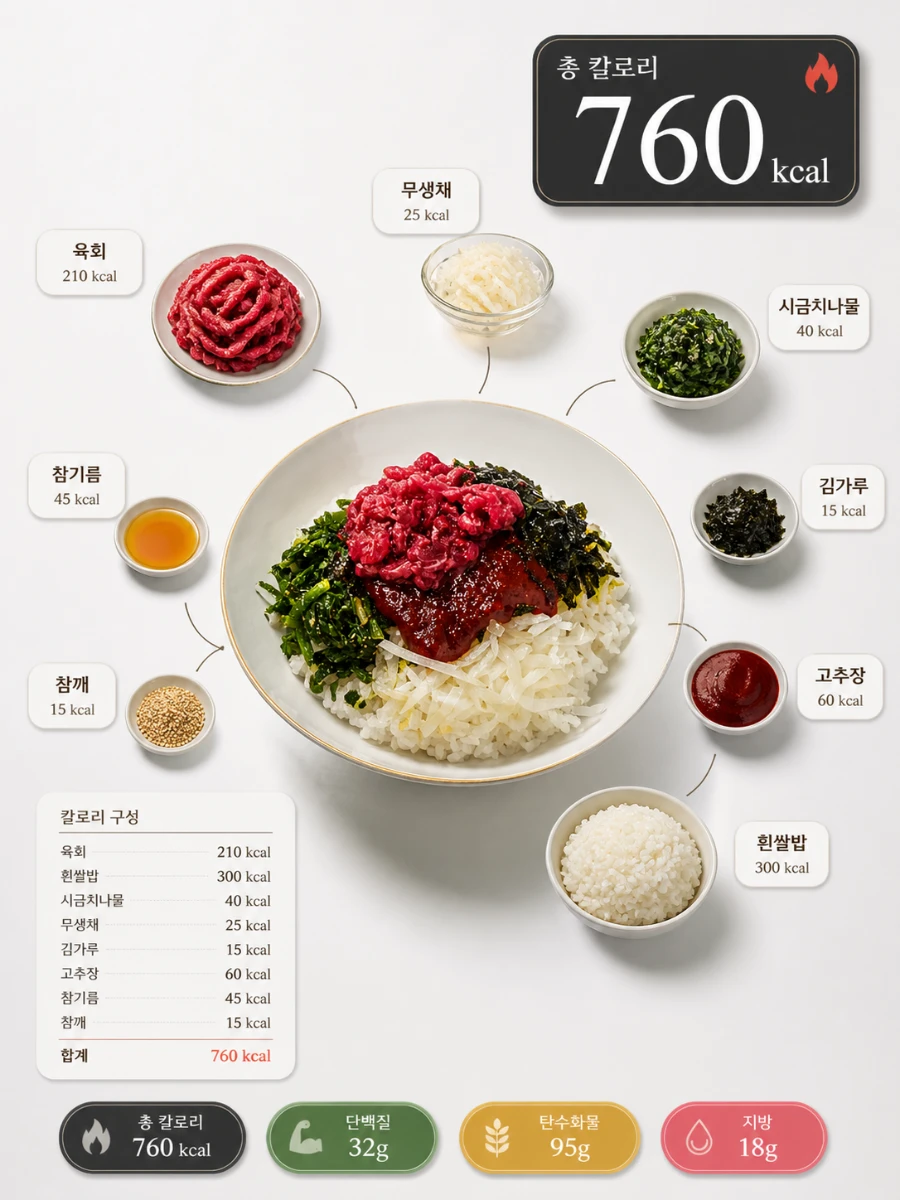
This prompt generates a Michelin-style calorie infographic using Midjourney, displaying calorie information per ingredient, total calories, and nutrient information at a glance with just one food photo. It focuses solely on calorie information without a recipe, including calorie labels per ingredient, a total calorie hero badge, a breakdown panel, and nutrient badges for protein, carbohydrates, and fats all in one image. It is optimized for diet, healthy food, and meal management social media accounts.
📋 0 copies
박
박켄지
✦ Example Output
AI-generated example outputReal AI output
Ad · Google AdSense
📋 Use This Prompt
Michelin-star food infographic style,
all text labels and badges in Korean language only,
[Food Composition]
hero dish centered and elevated on white ceramic plate,
dramatic studio lighting with soft natural shadows,
surrounding ingredients individually placed around the dish,
each ingredient connected to the main dish
with thin elegant curved arrows,
ingredients clearly separated with generous breathing room,
no overlapping elements whatsoever,
[Ingredient Labels – Korean + Calories]
each ingredient labeled in Korean language,
clean serif font typography,
small elegant label card beside each ingredient containing:
· ingredient name in Korean (bold, larger size)
· calorie count directly below name
format: 숫자 kcal (example: 123 kcal)
font: light sans-serif, smaller size, warm grey color
label card style: minimal white rounded tag with thin border,
soft drop shadow on each label card,
[Total Calorie Display – Top Right HERO]
this is the MOST important visual element,
large ultra-prominent total calorie counter
placed top right or top center,
format: 총 칼로리 OOO kcal
typography:
· 숫자(number) extremely large and bold
· 총 칼로리 label smaller above the number
· unit kcal medium weight beside number
badge style:
· deep charcoal or bold terracotta background
· white high-contrast text
· generous padding around text
· strong drop shadow for depth
add small flame or lightning icon for energy feel,
[Calorie Breakdown Panel – Left or Bottom]
vertical or horizontal calorie summary panel,
clean minimal card style,
showing each ingredient with its kcal side by side:
닭가슴살 —————— 165 kcal
현미밥 ————————— 210 kcal
올리브오일 —————— 45 kcal
thin divider lines between each row,
subtotal and total row at the bottom:
합계 ——————————— OOO kcal
bold accent color on total row,
[Nutrition Badges – Bottom Center]
four horizontal pill-shaped badges:
총 칼로리 OOO kcal | 단백질 OOg | 탄수화물 OOg | 지방 OOg
rounded pill shape, soft colored fill per nutrient:
· 칼로리: charcoal
· 단백질: sage green
· 탄수화물: warm amber
· 지방: dusty rose
bold Korean text + small icon per badge,
[Overall Design Style]
NO recipe steps card,
NO cooking instructions,
calorie information is the hero of the design,
background: bright light grey (#F5F5F5) or pure white,
Michelin-star editorial food infographic aesthetic,
premium clean layout with generous white space,
consistent visual hierarchy throughout,
studio lighting with dramatic depth of field,
8K ultra high resolution, ultra detailed,
commercial food infographic quality,
--ar 3:4 --style raw --q 2