Home›✈️ travel›Creating a New York Travel Itinerary Infographic Prompt
✈️ travelChatGPT
Creating a New York Travel Itinerary Infographic Prompt
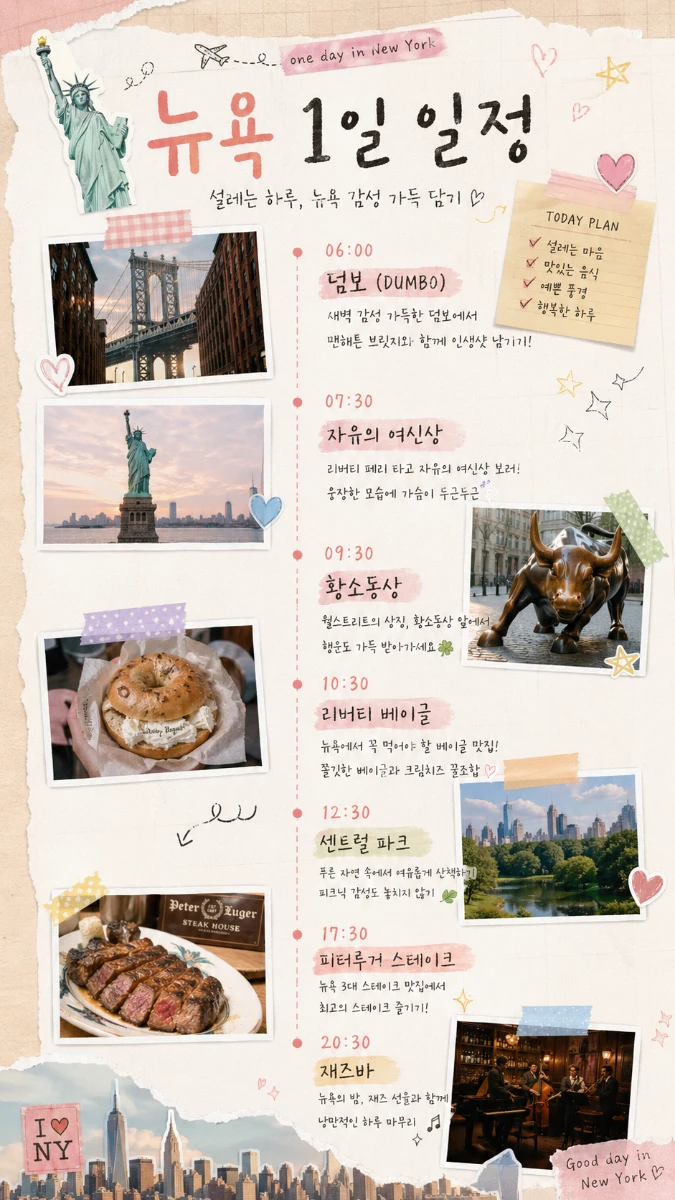
This is a prompt that automatically generates an emotional infographic organizing the travel course by time slots.
📋 0 copies
박
박켄지
✦ Example Output
AI-generated example outputReal AI output
Ad · Google AdSense
📋 Use This Prompt
Create a vertical 9:16 ratio travel itinerary infographic in a pastel-toned scrapbook aesthetic for Instagram.
[Design Style]
- Scrapbook / collage style layout with layered photo frames
- Soft warm pastel color palette (cream, blush pink, sage green, light blue)
- Natural light, airy, aesthetic feel
- Handwritten-style Korean and English mixed typography
- Cute doodle decorations: hearts, stars, arrows, sparkles, washi tape strips
- Clean yet playful layout with enough breathing room
[Layout Structure]
- Large title at the top: bold handwritten font (Korean main title + English subtitle)
- Small sticky note element with "TODAY PLAN" checklist on the upper right
- Vertical dashed timeline running down the center-left
- Each time slot includes:
· Time label (bold, colored)
· Location name (large handwritten Korean)
· 1–2 line description (small, soft tone)
· Polaroid-style photo of the location (alternating left/right)
- Decorative stickers and doodles scattered naturally
- Bottom area: city skyline silhouette + closing message
[Itinerary – Replace with your own]
06:00 덤보 (DUMBO) – 맨해튼 브릿지와 새벽 감성 사진
07:30 자유의 여신상 – 리버티 페리 탑승, 웅장한 뷰
09:30 황소동상 – 월스트리트 상징, 행운 기원
10:30 리버티 베이글 – 뉴욕 베이글 맛집
12:30 센트럴 파크 – 자연 속 피크닉 산책
17:30 피터루거 스테이크 – 뉴욕 3대 스테이크
20:30 재즈바 – 재즈 선율로 하루 마무리
[Text Tone]
- Warm, enthusiastic travel diary tone
- Short and emotional Korean descriptions per location
- Overall vibe: "설레는 하루, 감성 가득 담기 ♡"
High quality, aesthetic, detailed illustration style.