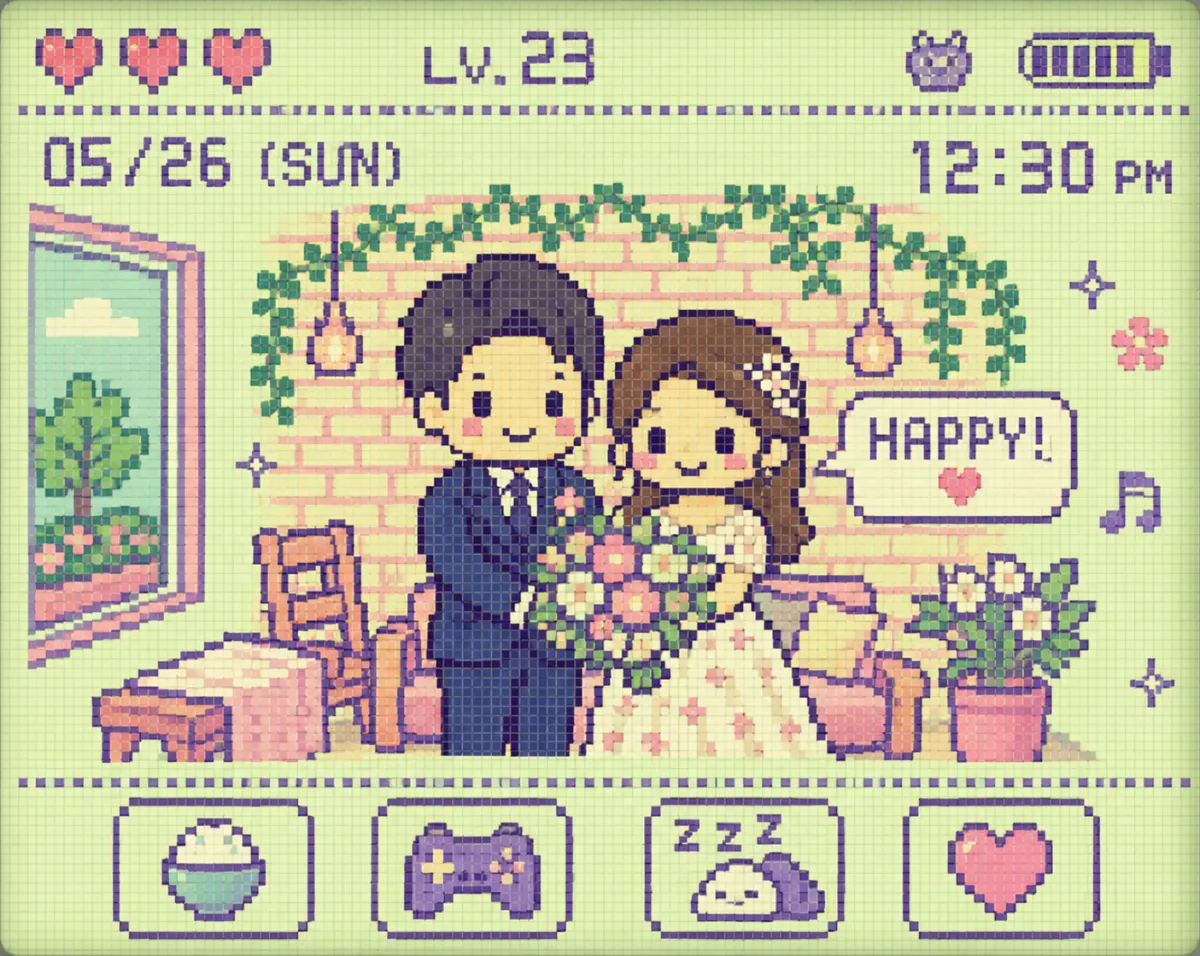
Tamagotchi LCD Pixel Art Conversion Prompt (90s Y2K Retro Style)
This prompt converts a single photo into a cute and retro pixel art image in the style of a 90s Tamagotchi LCD screen. The original characters and situations are simplified into 8-bit pixel characters, enhanced with battery icons, hearts, levels, dates, and retro UI, resulting in a high-quality image that resembles an actual Tamagotchi screen. It is optimized for Y2K vibes, retro games, and pixel art content for Instagram and TikTok virality.
📋 0 copies
박
박켄지
✦ Example Output
AI-generated example outputReal AI output
Ad · Google AdSense
📋 Use This Prompt
Transform the uploaded image into a 90s Y2K Tamagotchi
LCD screen style illustration.
[Core Concept]
- Maintain the original person and scene from the photo
- Reinterpret everything as cute, slightly lo-fi,
shabby-kawaii 8-bit pixel characters and background
- Simplified pixel art – NOT realistic
- Charming, nostalgic, loveable imperfection
[Visual Style]
- Bright, adorable pastel LCD color palette:
· cream white base
· soft pink
· mint green
· lavender purple
· 4 color maximum restriction (true to LCD style)
- Dot matrix screen texture throughout
- Large chunky pixels, flat LCD rendering
- NO gradients – flat color fills only
- Slightly washed out, LCD screen glow effect
- Pixel grid visible on all elements
[Character Design]
- Person simplified into cute chibi pixel character
- 8-bit proportions: big square head, tiny body
- Exaggerated cute expression
- Outfit and hair color reflected from original photo
- Simple pixel facial features:
dot eyes, tiny mouth, blush squares on cheeks
- Character doing same action/pose as original photo
- Lo-fi charm – NOT polished, slightly "shibakawa" feel
[Background]
- Scene from original photo simplified into pixel blocks
- Flat, minimal pixel background
- 2-3 background elements maximum
- All simplified into basic pixel shapes
- Same pastel LCD color palette
[Retro UI Elements – Important]
Add these LCD interface elements around the screen:
· 🔋 Battery icon (top right corner, pixel style)
· ❤️❤️❤️ Heart meter (top left, 3 pixel hearts)
· ⭐ Level indicator: "LV.○○" (pixel font)
· 📅 Date/time display: pixel clock style
· Status bar across the top
· Menu icons along the bottom:
(pixel food icon / game icon / sleep icon / heart icon)
· Short pixel text message floating near character:
예: "HAPPY!" / "HUNGRY!" / "PLAY!" / "HI!"
· Small decorative pixel elements:
stars ✦ / musical notes ♪ / small flowers / ZZZ
[Screen Rules – Critical]
- Show LCD screen interior ONLY
- NO Tamagotchi body visible
- NO physical buttons
- NO bezel or frame
- NO device outline
- Screen fills the ENTIRE image edge to edge
- Slight LCD screen glow/bloom at edges
[Overall Mood]
- Nostalgic 90s handheld game feel
- Cute, retro, collectible
- Y2K pastel kawaii aesthetic
- Makes viewers want to play with it
- "I had one of these as a kid" feeling
Full screen LCD interior only,
90s Tamagotchi pixel art style,
pastel Y2K aesthetic,
high resolution pixel art output.